You have finally found it.
The title matches your topic. The authors work at a university. The PDF has an abstract, several intimidating tables, and three pages of references. It looks exactly like the kind of source that belongs in a review article.
Then you notice the assignment instructions: Use peer-reviewed sources only.
So, is this one peer reviewed?
Maybe. But none of the details above proves it.
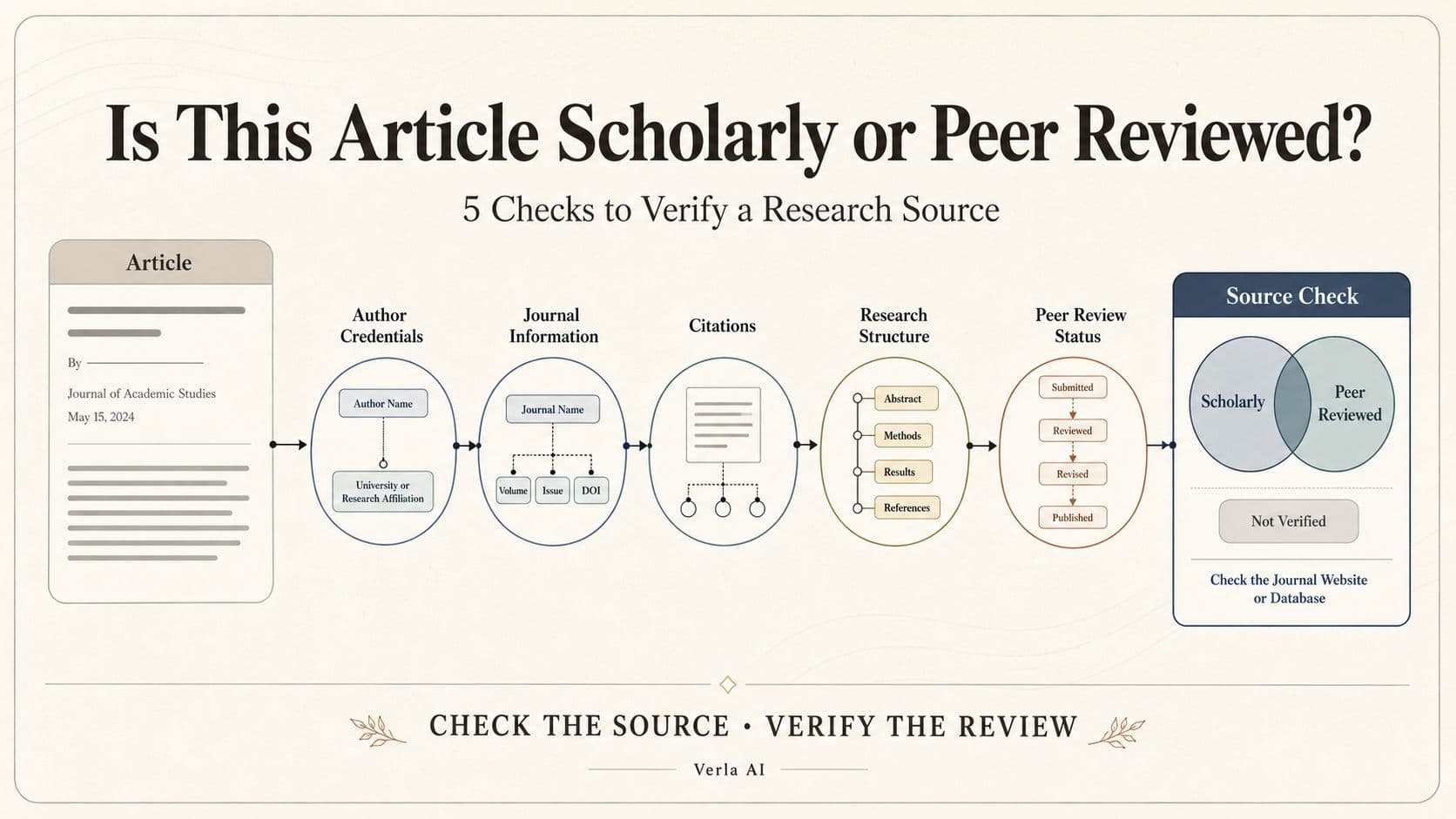
Here is the fastest way to find out:
Open the article on the journal publisher's website.
Check its version and article type.
Find the journal's peer-review policy.
Confirm that the policy covers that type of article.
That is the whole check. Let's walk through it.
How to Check If an Article Is Peer Reviewed
Find the article on the publisher's website
Start with the article title or DOI. Search it and open the result from the journal publisher—not a PDF stored on ResearchGate, a university repository, or someone's personal page.
Now look for the version.
If the page says “preprint,” “submitted manuscript,” or “working paper,” stop there. The work may be scholarly, but it probably has not completed peer review. An “accepted manuscript” has normally passed review, although it is not yet the final formatted publication.
What you want is the final article on the journal's official website.
Look at the article type
Near the title or publication details, you may see a label such as:
Research Article
Original Article
Review Article
Editorial
Commentary
Letter
Book Review
This small label matters more than the academic-looking PDF.
Research articles and review articles are commonly peer reviewed. Editorials, commentaries, news items, and book reviews often are not—even when they appear in a respected peer-reviewed journal.
That is the first trap: a peer-reviewed journal does not necessarily peer review everything it publishes.
Read the journal's peer-review policy
Open the journal's “About,” “Editorial Policies,” or “Instructions for Authors” page. Search the page for “peer review.”
You are looking for two answers:
Does the journal use external reviewers?
Does that process apply to your article type?
A policy may say that research articles and review articles receive two independent reviews, while editorials are assessed only by the editorial team. In that case, the journal is peer reviewed, but its editorial content is not.
The article type and the policy need to match.
Confirm it through a library database
If you still feel unsure, search the journal in your university library database or Ulrichsweb. Many databases identify publications as “peer reviewed” or “refereed.”
This is useful confirmation, but it should not replace the article-type check. A database usually describes the journal as a whole. It may not tell you whether one particular letter or commentary went through external review.
Once the publisher's policy confirms that your article type is reviewed—and you are looking at the final published version—you can generally use it as a peer-reviewed source.
Scholarly and Peer Reviewed Are Not the Same Thing
The two terms often appear together, which makes them feel interchangeable.
They are not.
A scholarly article is usually written by subject experts. It may contain an abstract, formal citations, research methods, data, and a substantial reference list.
But it can still be a preprint, thesis, conference paper, or academic book chapter that was never peer reviewed.
Peer review describes what happened before publication: other experts evaluated the work and recommended whether it should be accepted, revised, or rejected.
Put simply:
“Scholarly” tells you what the article is. “Peer reviewed” tells you what process it passed through.
The PDF Can Give You Clues, Not Proof
Imagine opening a paper and finding author affiliations, an abstract, a methods section, statistical results, and 60 references.
It is probably scholarly.
But peer reviewed? You still need to check.
A DOI looks official. That is its job. But Crossref explains that a DOI is an identifier , not a certificate of peer review.
Google Scholar creates a similar illusion. Its results include journal articles, but also theses, books, preprints, abstracts, and technical reports. PubMed is selective, yet the National Library of Medicine states that it has no peer-reviewed-only filter .
These tools help you find research. They do not make the final decision for you.
Three Sources That Commonly Fool Students
The preprint that looks finished
A preprint can have polished figures, careful citations, and the same title as a later journal article. It may even have a DOI.
It still may not be peer reviewed.
Search the title to see whether a final journal version now exists. If both versions appear, cite the published version unless your assignment allows preprints.
The editorial in a prestigious journal
The journal is famous. The author is a professor. The writing is thoughtful.
Still not proof.
Editorials and commentaries are often invited or reviewed internally by editors. They can be valuable sources, but they may not satisfy an assignment requiring peer-reviewed evidence.
The review article with an unclear label
A review article synthesizes existing research instead of reporting a new experiment. Many are peer reviewed, but journals do not all handle them in the same way.
First identify which of the different types of review articles you are reading. Then check whether the journal's policy covers that category. A systematic review, narrative review, and invited commentary may all discuss previous research, but they are not automatically reviewed through the same process.
What to Do After You Verify Your Sources
Finding suitable papers is only the beginning. The harder moment usually arrives later, when you have 20 tabs open, a folder full of PDFs, and no clear idea which studies belong together.
That is where Verla becomes useful.
You can bring your assignment requirements and verified research materials into one place, then use them to identify recurring themes, disagreements, and missing evidence. Instead of starting from a blank page, you begin with a source-based writing plan.
If that is your next step, read how to write a review article or use Verla's review article generator to organize the papers you have already checked. Verla can help you work with the sources; the publisher's policy still decides whether they were peer reviewed.
The PDF may look convincing. The journal name may sound impressive. The DOI may feel like proof.
Do not guess.
Open the publisher's page, match the article type to the review policy, and then move on with confidence.